Five real builds that show what AwwO can do. The next one is yours.
ClawHunt | October 15, 2026
AwwO launched on October 9. As of October 15, ClawHunt's launch post on X had drawn 4.3 million views and 16,000 likes.
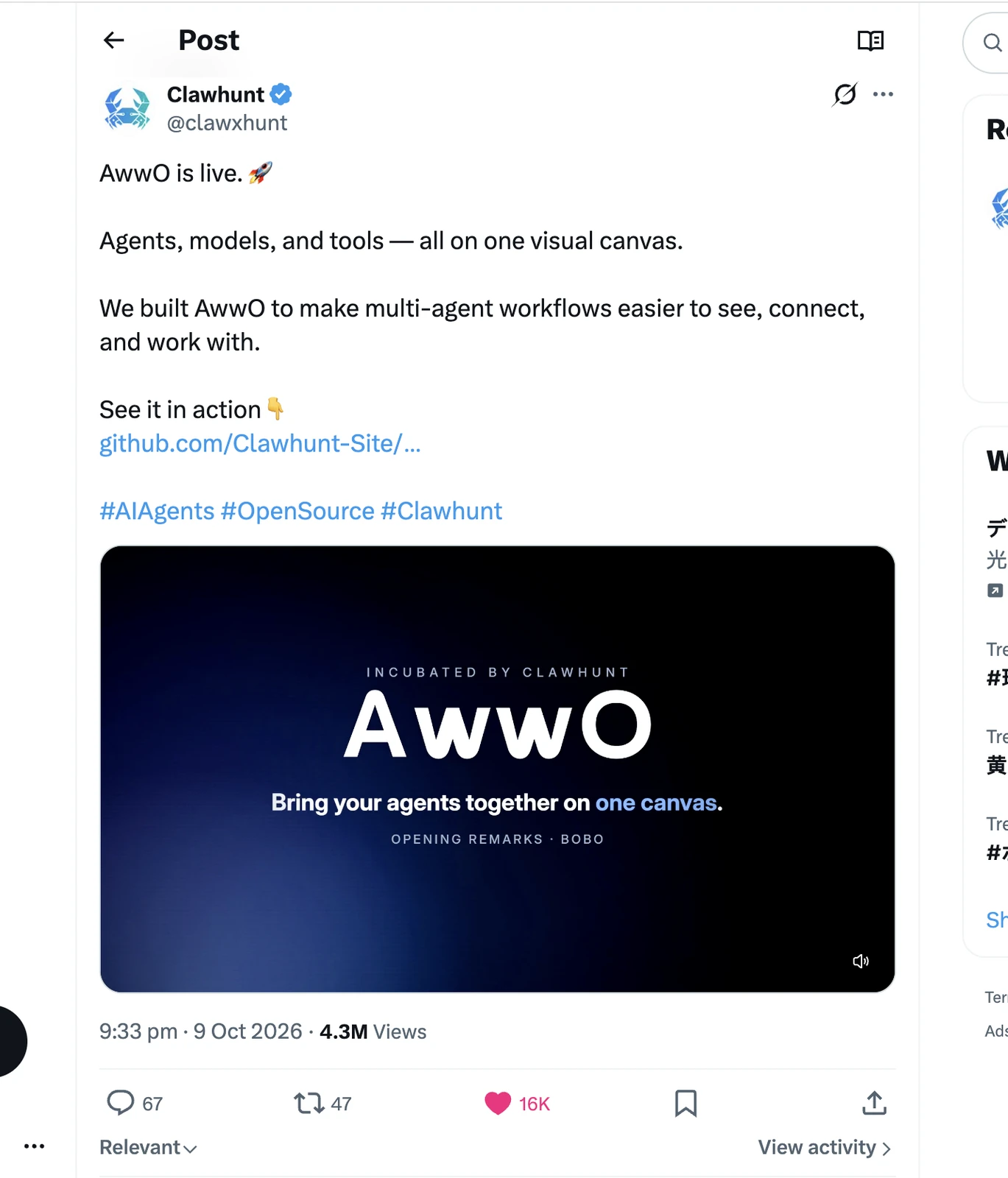
After that attention, we want to make a more concrete invitation: bring something you want to build, and try it in AwwO.
Want a team tool where roles and document workflows have a home? Want the vehicles and production lines of a factory to move in a 3D scene? Want your own music workstation, or a distinctive art style turned into a game you can play? AwwO has built each of these into something you can open.
A knowledge base, a digital factory, Beat Studio, a paper puzzle: the tasks differ, and AwwO organizes a different AI team for each. Some set the rules, some write the modules, some connect the results. Business logic, 3D scenes, sound and interaction end up as applications you can open and operate.
Look at the results below, and follow the canvases to your own starting point. Take the case closest to what you need, swap in a different workflow, scene or game mechanic, and let your next build start in AwwO.
01 | Brand site: images, video and code combined into a car launch site
Aurora GT | 2 agents + 4 media nodes | launch site for a fictional car brand
A supercar driving under the aurora, a full-screen film, a bold model name. Around the fictional electric supercar AURORA GT, AwwO put visual assets and page building on one canvas and made a launch site you can open.
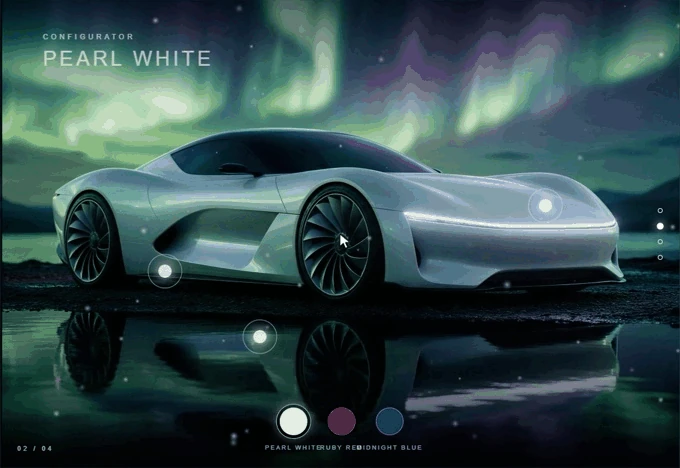
A product launch needs striking visuals and a page to carry the content. In AwwO you can make the images, the short film and the launch page together, with the assets flowing along the canvas to the agent responsible for the page. New products, brand introductions and product showcases can all start here.
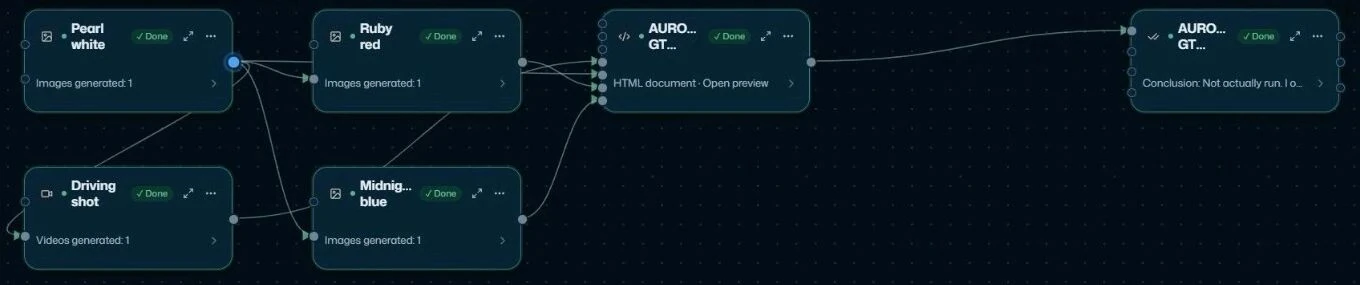
The Pearl white node first makes the white base image, and the Ruby red and Midnight blue image nodes use it as a reference to make color variants; the driving film follows a text brief for the same model. The front-end agent receives the asset details and delivers an HTML page that references three JPGs and one MP4, putting the video hero and the color showcase on one site; a review agent then checks the source and the delivery.
02 | Business app: a business idea turned into a working dashboard
Team knowledge base | 7 agents | prototype on mock data
Members look things up, editors update documents, owners review and publish. A team tool has to account for roles, content and workflow together. AwwO's knowledge base case covers those needs with a prototype you can sign in to and use in the browser.
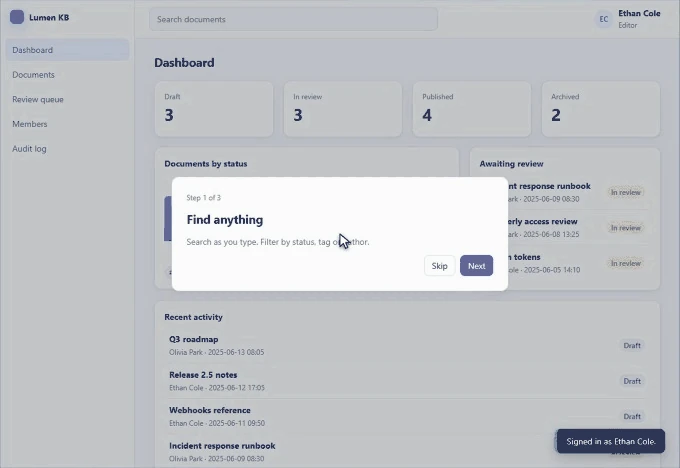
The use is practical: turn business requirements into a working prototype first, let the team discuss roles, workflows and screens around a real page, then keep revising. Your next internal tool could start from a canvas like this.
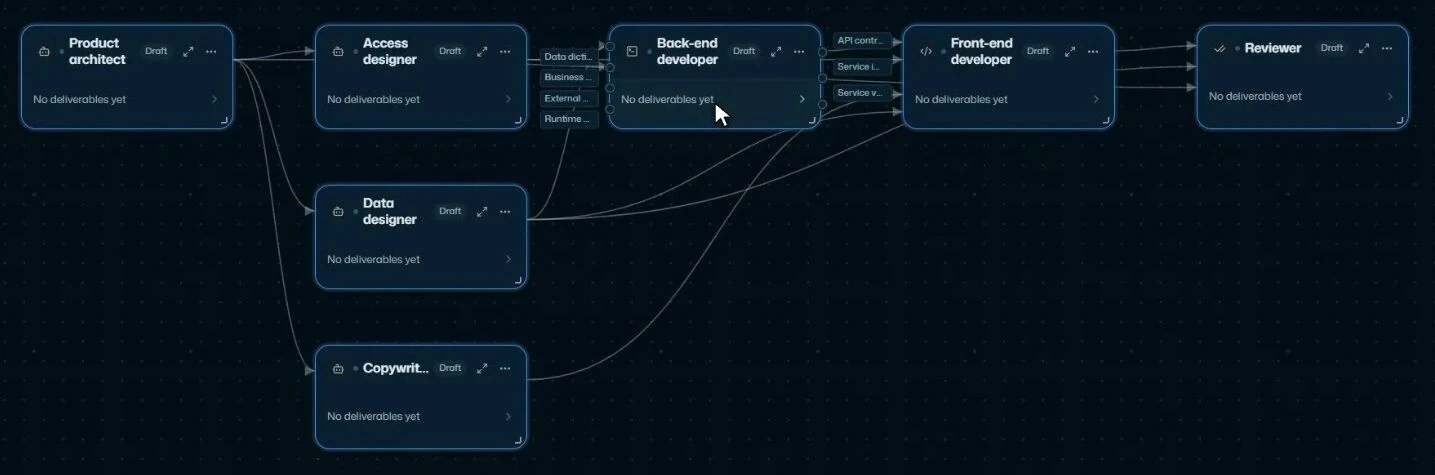
The architect first defines the pages and rules, and three roles prepare permissions, document data and interface copy. The business layer then builds a single store (the entry point for data and rules), and the front end works on documents through it. "Who can do what" and "how the page behaves" share one source of truth.
03 | 3D simulation: a complex process turned into a working 3D model
Digital factory | 8 agents | fictional electric-vehicle plant
Vehicles move along the line, workshops and equipment spread out in front of you, and you can rotate and zoom to inspect the plant. AwwO combined space, simulation and an interactive interface into a working 3D demo.
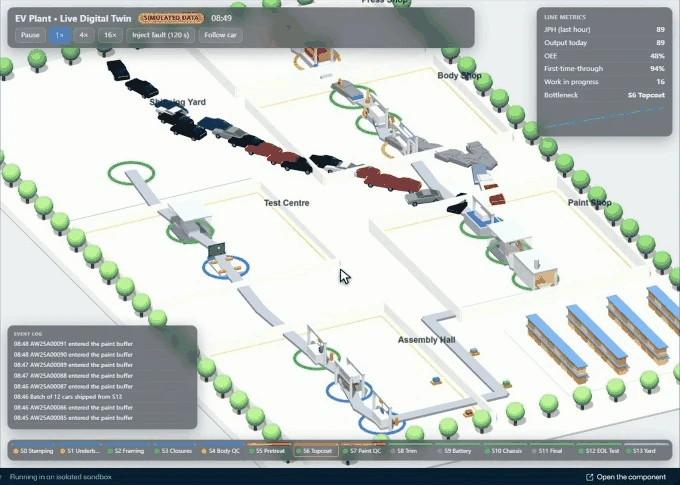
When you need to explain a production process, show a spatial plan or test a 3D interaction idea, something that moves and can be operated is easier to understand than a single rendering. This case shows what AwwO can do with tasks like that.
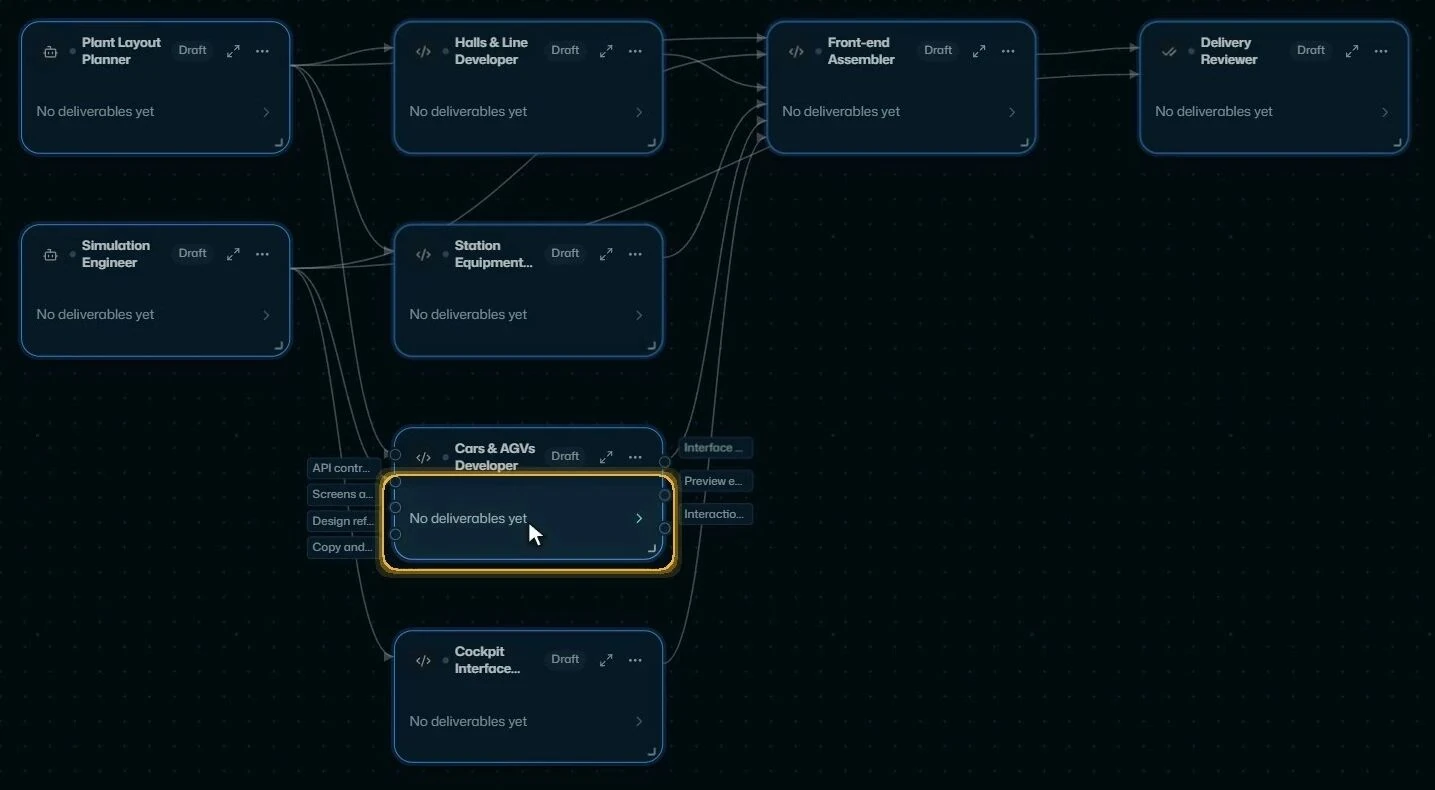
The planning role sets the shared layout of workshops, stations and routes, and the simulation role supplies production status. Four development modules build scenes and interfaces from the same spec, and a front-end composition node connects layout, simulation and modules, so the space and the running logic work together on one page.
Beat Studio | 10 agents | music workstation in the browser
This time AwwO built a music workstation. Drum machine, bass, chords, section editing and playback each have their own module and controls. A sound engine and its editing tools can be built by an AI team too.
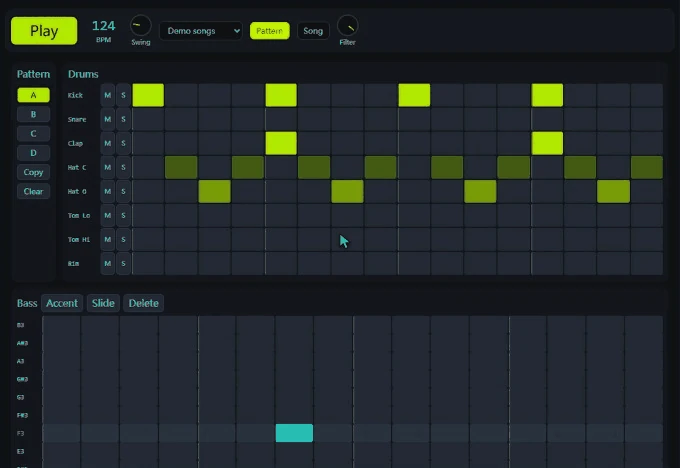
If there is a creative workflow you would love to use, you can try turning it into a tool. In this case AwwO organized ten agents with distinct roles, from product design all the way to the finished page.
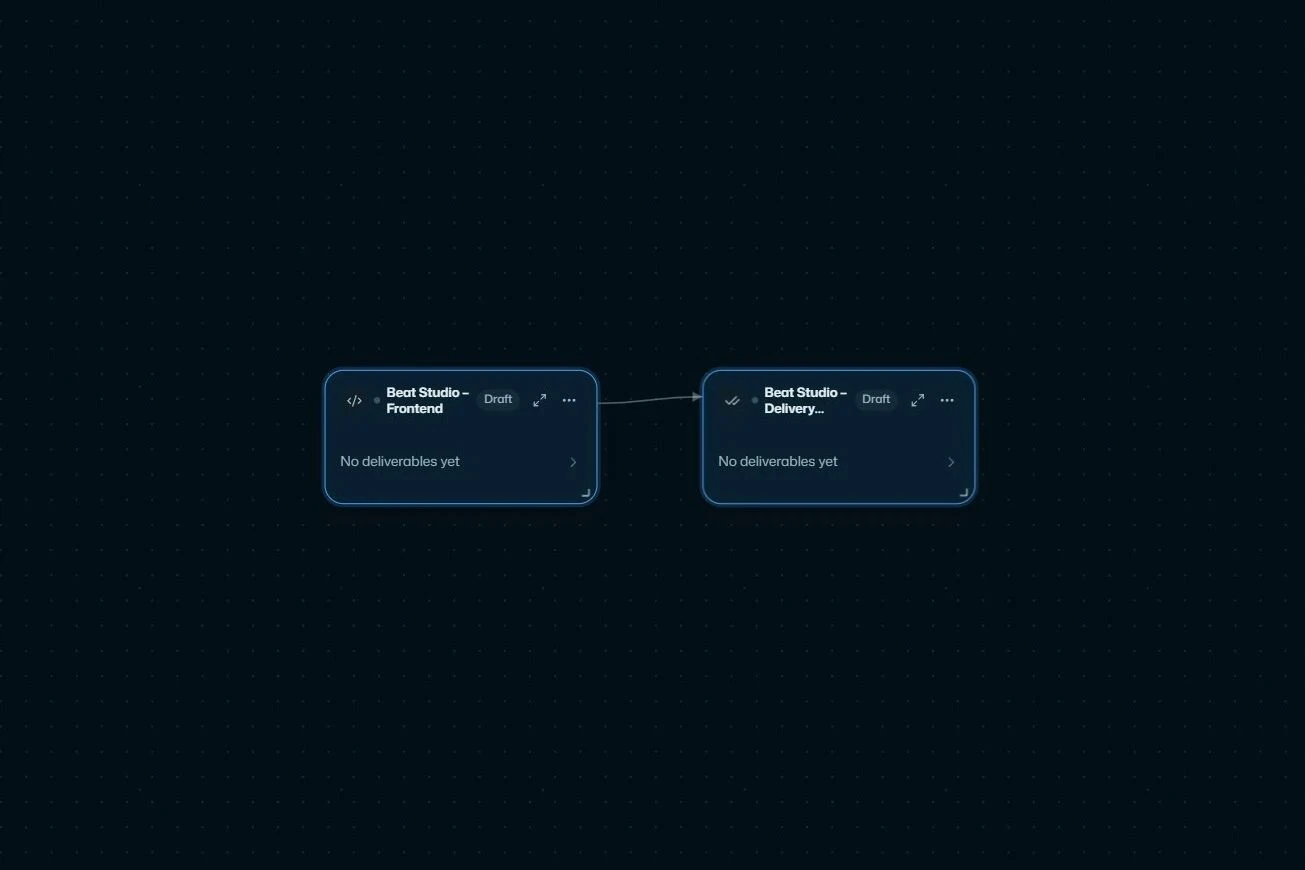
Product design first fixes the song format and the interactions. Six specialists handle modules such as sound, the sequencer clock, demo songs and the interface; an integration engineer is dedicated to connecting the modules, and the front end assembles the complete HTML. With making, connecting and assembling clearly divided, a complex tool gets a path to be broken down and built together.
05 | Interactive piece: an art style and a game mechanic turned into a playable game
Paper puzzle | 7 agents | interactive 3D experience
Paper windmills, red roofs, soft light. Press Q and E to rotate the paper board, send the marble rolling in a new direction and find the route to the hole. A distinctive visual idea plus a set of rules becomes something you can play.
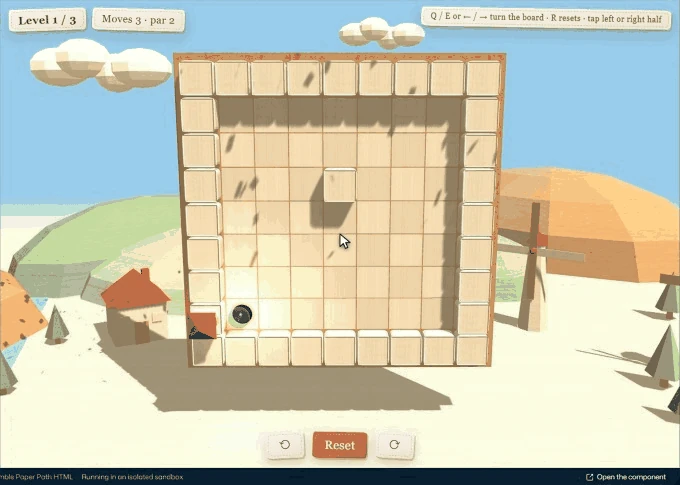
From visuals to controls to the level-clear feedback, the recording shows a complete small experience. AwwO can help you bring scenes, levels, sound and rules together and turn an idea into something playable.
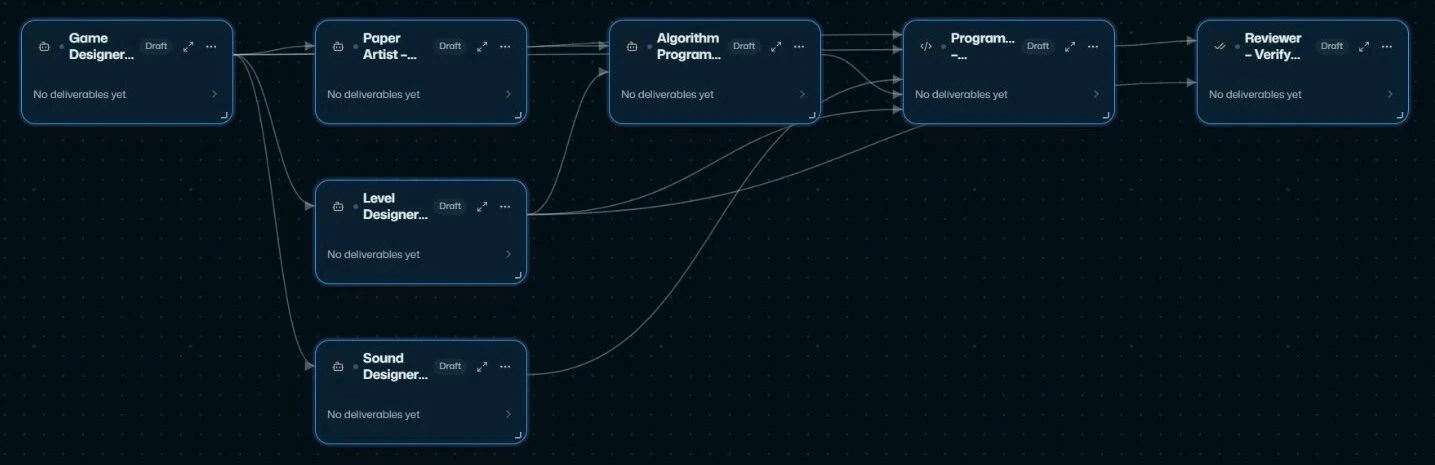
Game design first sets the rotation and rolling rules. Art makes the paper scenes, the level role delivers maps and solutions, and sound delivers the audio code. An algorithm role calculates where the marble should stop after each rotation, and the programmer makes the marble on screen roll there, joining the visuals and the rules into one game.
Five kinds of tasks, each organized into an AI team
A brand site has to join images, video and pages; a business app has to align roles and rules; a 3D model has to connect space and simulation; a music tool has to integrate sound and interface; a puzzle game has to make the visuals respond to an algorithm. AwwO organizes a different team around each task, so the parts end up as one piece of work.
- Break complex requirements apart: assign roles by task and make clear what each agent has to deliver.
- Run independent work in parallel: specialist modules such as permissions, data, scenes and sound can go to different agents.
- Join the results into an application: connect the modules through a shared spec, then hand them to integration and review nodes.
This matches the shared contracts, integration and independent review described in AwwO: From Orchestrating Agent Harnesses to a Closed Loop with Real Demand: agree how the modules fit first, then connect the outputs, then check them against the rules. On the canvas you can see the division of work and the handoffs, open the result and keep editing your own version.
Your idea, as the next build
A business tool to validate? A workflow to demo? A way of creating to bring to life? Open AwwO, start a new canvas and get building.
Try AwwO: the cloud version is invitation-only for now, so join the waitlist and we will email you when your invitation is ready. For what AwwO is and why people stay in the loop, read AwwO Launches: The Next Fuel for AI Is Real Work, Checked by People. AwwO also has an open-source version: Clawhunt-Site/awwo-canvas, under the MIT license.
Want to build your idea on site with other builders? From October 30 to November 1, the ClawHunt 72-hour hackathon in Shanghai takes place at 36 SPACE in Xuhui, and applications are open. AwwO is incubated by ClawHunt, the AI agent marketplace.